

Step by step
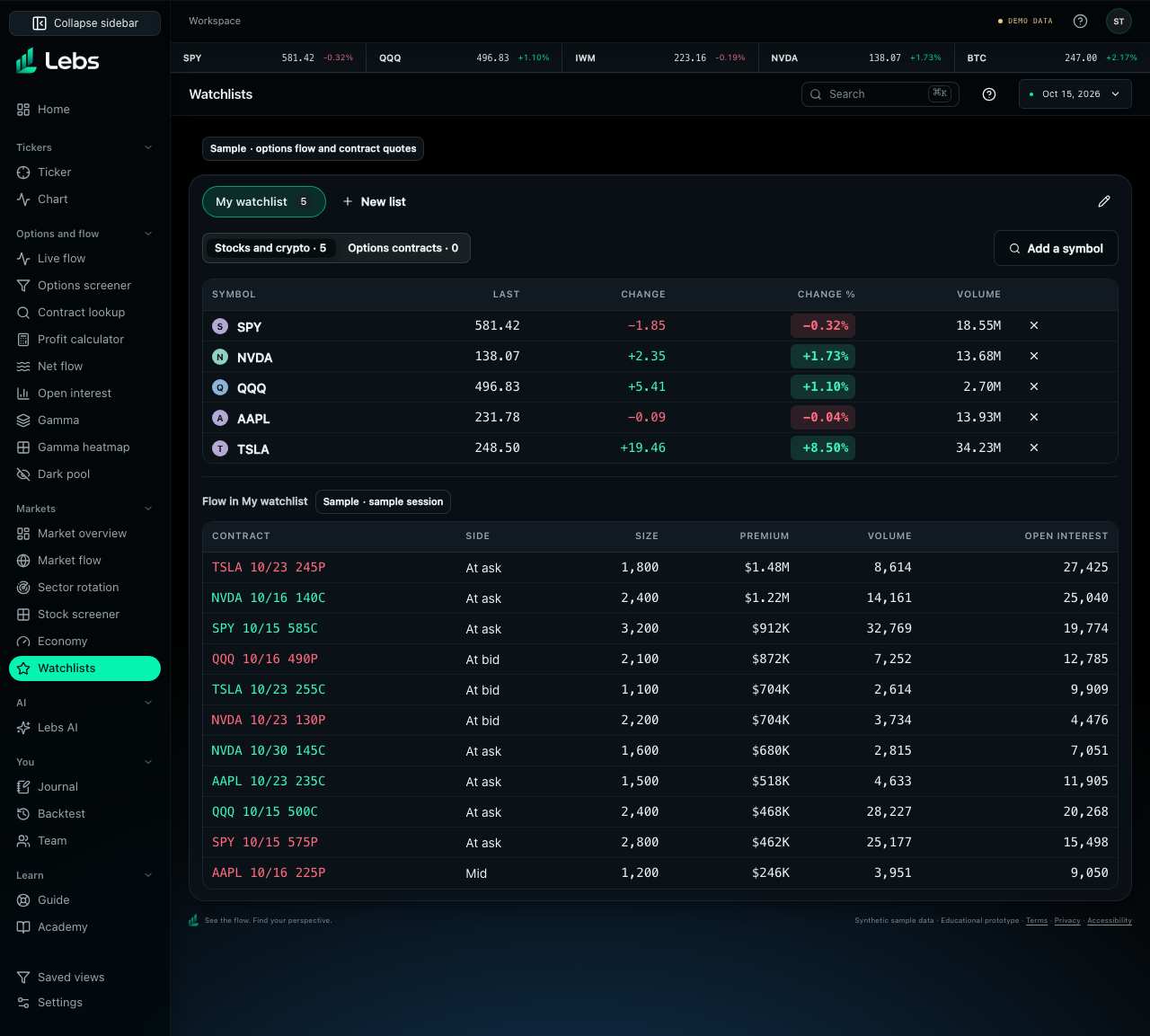
- Open Watchlists. Each list is a chip at the top; click one to open it, or New list to make another. The pencil renames the open list and the bin deletes it.
- Add a symbol with Add a symbol, or star it on any Ticker page. Click a row to open that ticker; the × removes it from the list.
- Switch to Options contracts for contracts you starred in the Options chain or Contract lookup, with sample chain quotes. Below, see sample options trades for the open list.
- In the Trading chart, the side panel shows the same lists. Pick a list in its menu to see only that list (and add to it), or All lists to see every one.
Every control, explained
- Workspace watchlist
- Named lists of symbols and contracts, saved to your workspace and shared with every star and the chart panel. How: Click a list chip; New list, rename or delete beside them.
- Symbol table
- Each symbol with its logo mark, name, last price, change, change % and volume. How: Click a row to open the ticker; × removes it.
- Flow in your watchlist
- Sample options trades for the open list's symbols or contracts. How: Read below the list.
- Chart watchlists
- The same lists beside the chart, one at a time or all together. How: Trading chart side panel: choose a list in its menu, add, remove, fold groups.
Tips
- Keep 10–20 symbols you understand well.
Limits to know
- Prices are end-of-day for stocks and ETFs on the free data plan; coins update about every 30 seconds.
- The sample flow covers the sample session's instruments; lists accept other symbols too.
- Logo marks are the symbol's initial until a logo source is licensed.
Try it: Star AMD on its Ticker page, then open Watchlists and find it in your list.
Lebs is for education and research, not investment advice, and it places no orders.